Salesforce – Onboarding Programs & Tools Hub
Role: UX / UI & Web Production
Focus: Figma page templates, asset management, QA, multi‑page rollout
Focus: Figma page templates, asset management, QA, multi‑page rollout
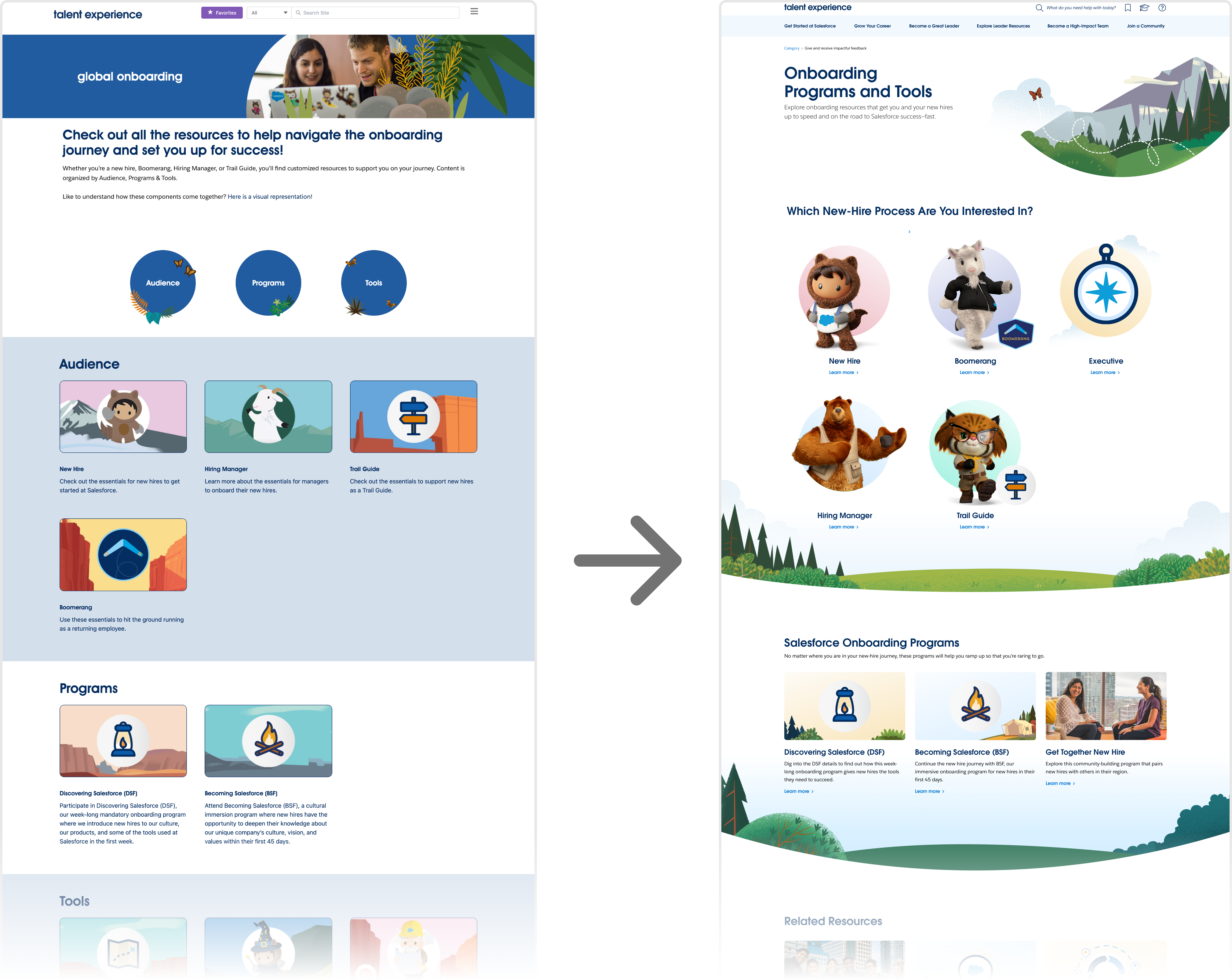
Before vs. after of the Onboarding Programs & Tools page.
The redesign introduces clear entry points by audience and modular sections for programs and related resources.
The redesign introduces clear entry points by audience and modular sections for programs and related resources.
Overview
Salesforce’s Talent Experience team needed a clearer, scalable way for different audiences (new hires, managers, execs, boomerangs) to find onboarding resources.
I redesigned the Onboarding Programs & Tools hub, then produced a suite of related pages in Figma using shared templates, organized assets for implementation, and tracked the rollout across 8+ pages.
I redesigned the Onboarding Programs & Tools hub, then produced a suite of related pages in Figma using shared templates, organized assets for implementation, and tracked the rollout across 8+ pages.

Figma Page System: Suite of Onboarding Pages
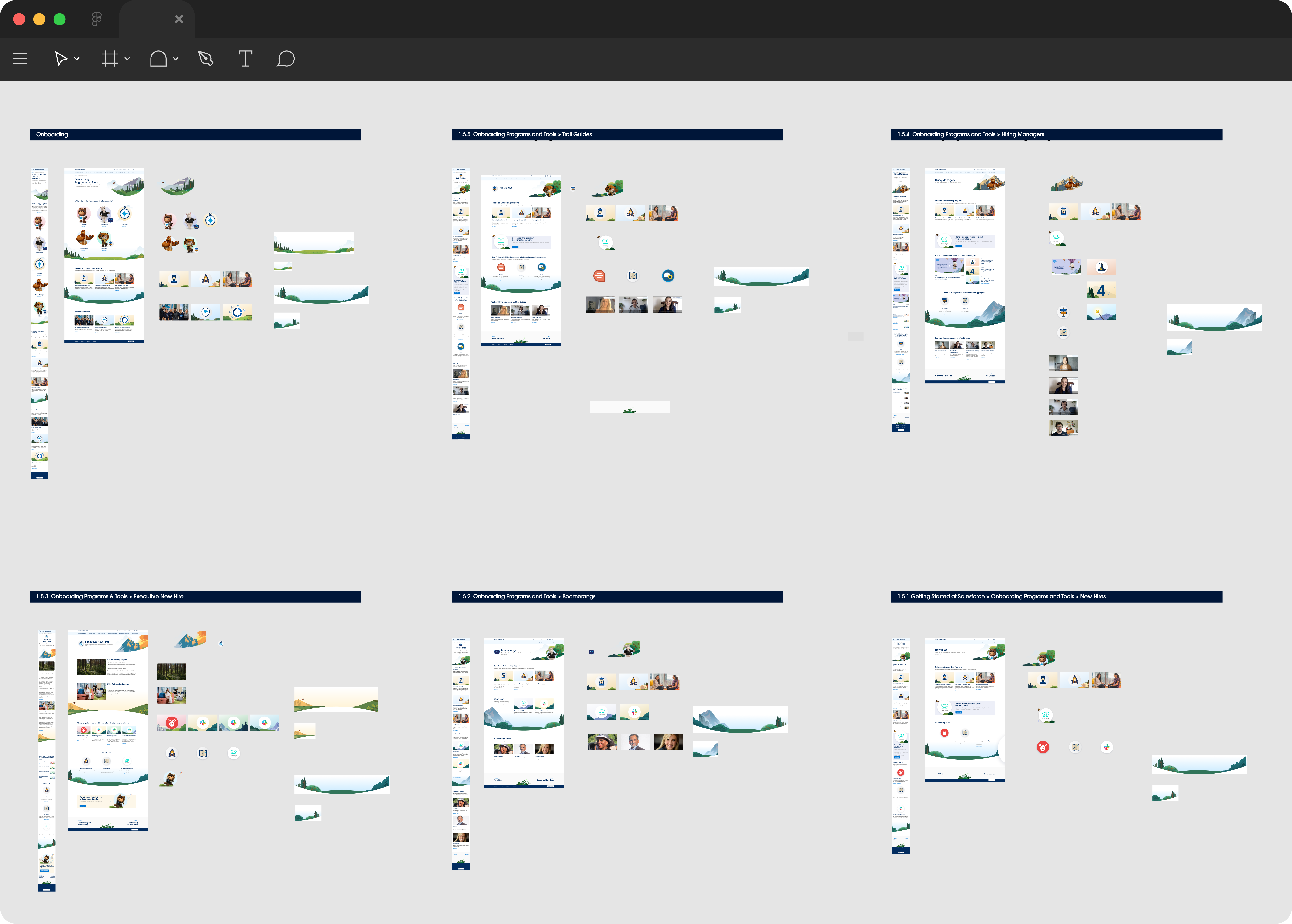
Suite of onboarding pages built from a shared Figma template and modular sections.
Each audience page reuses the same core layout for consistency and easier maintenance.
Each audience page reuses the same core layout for consistency and easier maintenance.
Asset Library: Icons, Heroes, and Cards

Example of a final page (left) with organized asset library (right):
audience icons, hero illustrations, program cards, and thumbnails prepared for export and implementation.
audience icons, hero illustrations, program cards, and thumbnails prepared for export and implementation.
Production Log: Tracking Multi‑Page Rollout
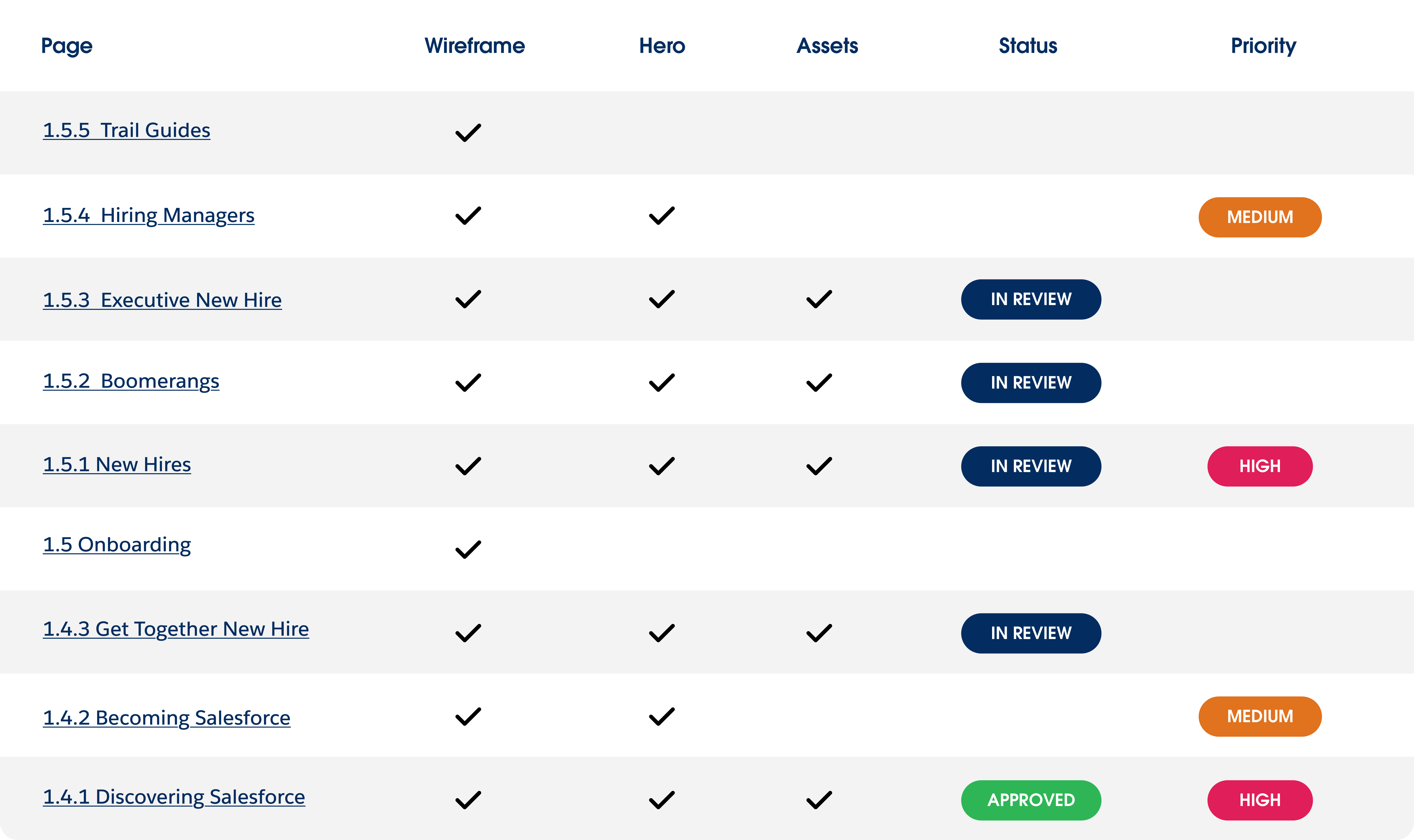
Production log used to track wireframes, hero designs, assets, status, and priority for
each onboarding page—keeping web production organized and predictable.
each onboarding page—keeping web production organized and predictable.
What I did
- Created Figma layouts from a shared template and design system components.
- Maintained a simple production log for multiple pages.
- Partnered with content, talent, and engineering teams; supported QA before launch.
- Organized and exported assets for dev and localization.